
Home dashboard
Present KPIs, sales trends, outstanding invoices, branch activity and management snapshots in one clean starting screen.
DMI Software is built as an advanced finance, POS and business management solution for companies that need customers, suppliers, invoices, expenses, banking, reports, multiple stores, multiple users and multiple currencies in one system.
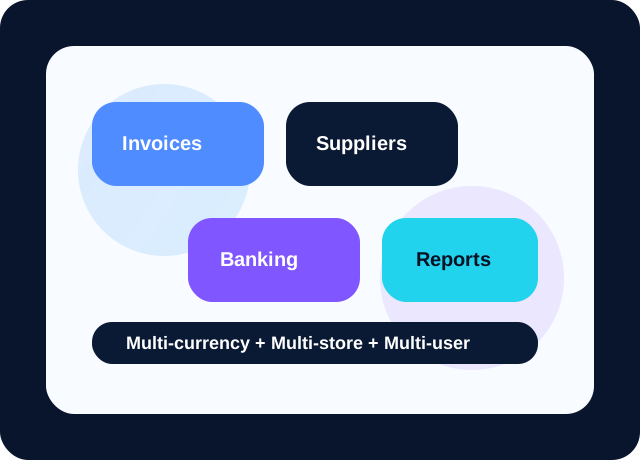
Review the complete DMI Software module list and see how each workflow connects across sales, purchases, finance, POS and reporting.
DMI Software navigation follows everyday business activity: dashboard visibility, create actions, sales, expenses, banking, reports and settings.
Present KPIs, sales trends, outstanding invoices, branch activity and management snapshots in one clean starting screen.
Help users quickly start invoices, estimates, bills, expenses, suppliers, customers and other daily records from one action hub.
Keep selling teams productive with invoices, sales orders, sales receipts, credit notes, delayed charges and refund workflows.
Capture expense entries, supplier bills, payables and cheque-based spending with visibility for finance teams.
Support bank deposits, credit card credits, recurring transactions and reconciliation from one organized finance area.
Keep supporting utilities available for growing operations without cluttering the main day-to-day workflows.
Turn transactions into clear performance reports, statements, cash views and decision-ready summaries.
Manage currencies, store setup, feature behavior, organizational structure and business rules from a central control area.
Features are grouped by daily business workflow so owners, managers and finance teams can understand them quickly.
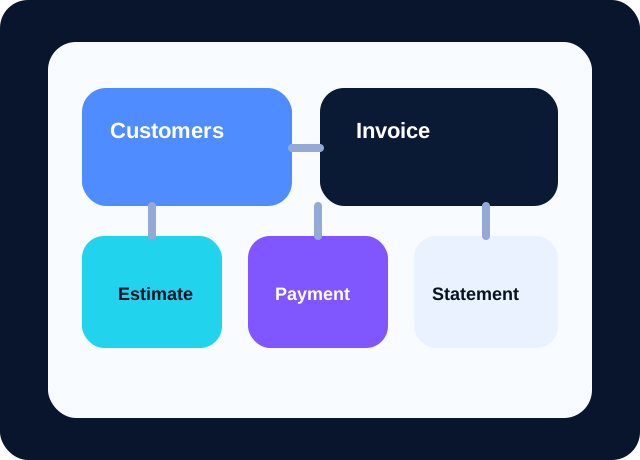
DMI Software gives your sales and accounts teams a connected flow from add customer to estimate, invoice, receive payment, statement and after-sale corrections.
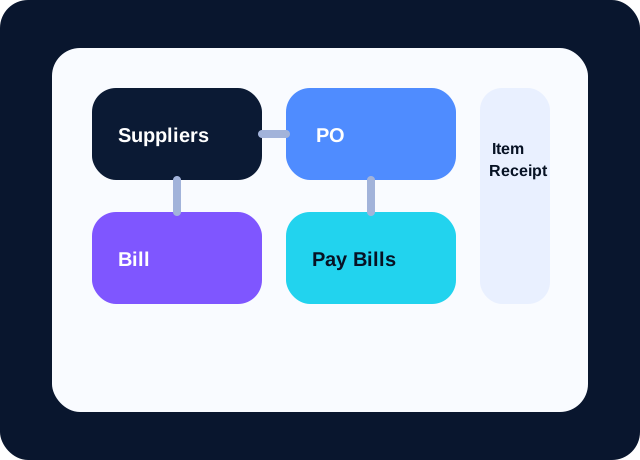
For growing businesses, supplier management is as important as sales. DMI Software brings suppliers, purchase orders, item receipts, bills, pay bills and supplier credits into one operational flow.

DMI Software supports daily finance operations beyond invoicing. Expense entries, cheque records, banking views, bank deposits, recurring transactions and reconcile tools help businesses protect financial accuracy.
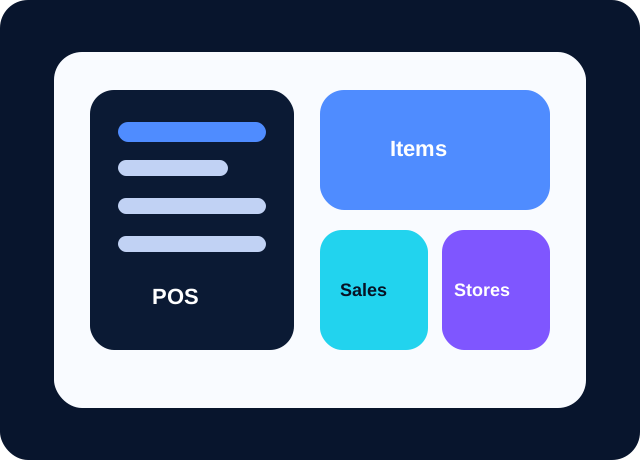
DMI Software is designed for businesses that need both back-office finance and front-line sales speed. POS, items, sales receipts and multi-store visibility help retail and wholesale teams work from one software platform.
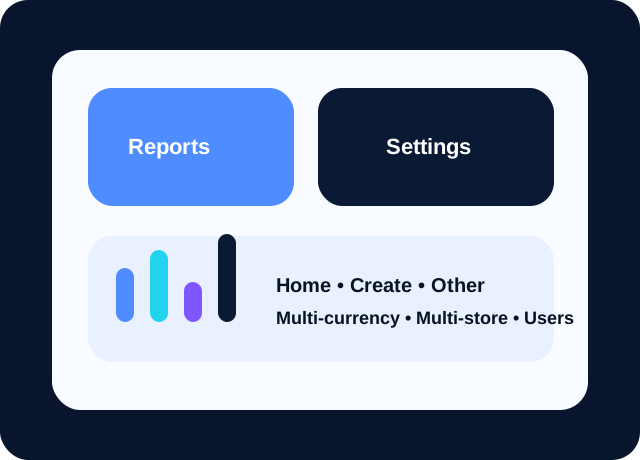
A good business software platform should not only record data, it should help leaders understand it. DMI Software highlights reports, settings, home dashboard, other tools, multiple currencies, multiple stores and multiple users for scalable growth.
DMI Software includes settings capabilities needed before and during implementation.
Configure business identity, company profile information and organizational setup from one central settings area.
Control company currencies and support multi-currency invoices, bills, reports and operational visibility.
Prepare the software for owners, managers, accountants, cashiers and staff with clear team and role structures.
Manage branches, outlets, warehouses and store-level operational structure inside one connected software system.
Keep accounting categories organized with a chart of accounts structure that supports cleaner finance and reporting.
Improve accountability with audit-focused visibility that helps management review important business actions and changes.
Review individual DMI features and how they support real business operations.
Store complete customer profiles, contact details, trade history and communication-ready information in one place.
Maintain organized supplier records for purchasing, billing, follow-up and payment planning.
Open a central create menu so users can start important transactions quickly with fewer clicks.
Generate professional invoices that support clean billing, receivable tracking and business credibility.
Capture day-to-day expense entries immediately so spending remains visible and reportable.
Track cheque-based financial activity with stronger control over outgoing and incoming payment instruments.
Offer a dashboard-style home screen that gives decision makers a fast summary of business activity.
Record customer payments efficiently and keep receivables updated without manual reconciliation headaches.
Prepare customer statements that support collections, trust and transparent account communication.
Register supplier bills accurately to support payable control and financial discipline.
Transform raw transactions into practical reports for owners, managers and finance teams.
Prepare quotations and estimates that help the sales team move opportunities toward conversion.
Manage supplier payments with better timing, clearer records and less missed follow-up.
Capture demand before invoicing and keep fulfillment processes structured and visible.
Control purchasing from the request stage onward with documented supplier orders.
Support fast counter sales and branch-level retail operations with a responsive point-of-sale flow.
Handle billing corrections professionally while preserving financial accuracy and audit clarity.
Track incoming goods and link purchasing activity to stock and billing operations.
Maintain a central sales area for monitoring daily selling performance and transaction flow.
Issue receipts instantly after transactions to improve customer confidence and record completeness.
Process supplier-side adjustments and returned value without losing visibility.
Manage refunds in a way that protects both customer experience and accounting clarity.
Record card-based credit entries and keep banking-related financial movements organized.
Use an expense management layer for ongoing cost visibility, trend analysis and budget awareness.
Plan and record credits that need to be recognized later in the business cycle.
Enable quick supplier onboarding so procurement teams can act without delay.
Manage item names, pricing, stock and product structure from one item control area.
Capture charges that should be applied later without losing track of future revenue.
Onboard new customers quickly from any sales or service touchpoint.
Bring cash, bank and account activity into one structured banking workspace.
Support additional business tasks through an extendable utility area for future workflows.
Configure business rules, behavior, currencies and system structure from a central setup area.
Record deposits clearly so cash movement into bank accounts remains auditable and visible.
Automate frequent entries and save valuable time for finance teams and managers.
Compare records with banking activity and close reporting periods with more confidence.
Use DMI Software as one connected platform for sales, suppliers, expenses, banking, reports and branch operations.
Support multiple stores, multiple management layers and multiple users without losing visibility.
Highlight serious accounting workflows like bills, pay bills, receive payment, bank deposit and reconcile.
POS, items, sales receipts, purchase orders and item receipts make the software relevant for day-to-day operations.
Explore all major DMI modules and request a guided demo for your business.